Asia Dominates Crypto Adoption Index, BitGet’s $356M Hack: Asia Express

Adobe’s new plug-in turns ChatGPT into a Canva rival with a magical twist
- Investment Opportunities Markets
 Peter Lynch
- 6 minutes read
Adobe has integrated more than 70 of its creative and productivity tools—from Photoshop, Premiere, Express, Acrobat, Firefly, Illustrator, and InDesign—into a single plug-in that lives inside ChatGPT. Users can describe what they want in plain language, and the machine builds photos, videos, social posts, and PDFs.
It all sounds really useful and frictionless, but the best thing about it may be the dopamine hit that you get because of the way that ChatGPT interprets your request. As Forest Key, vice president of Adobe Firefly and Agentic AI at Adobe, tells me: “You get very unpredictable, delightful, magical things happen.”
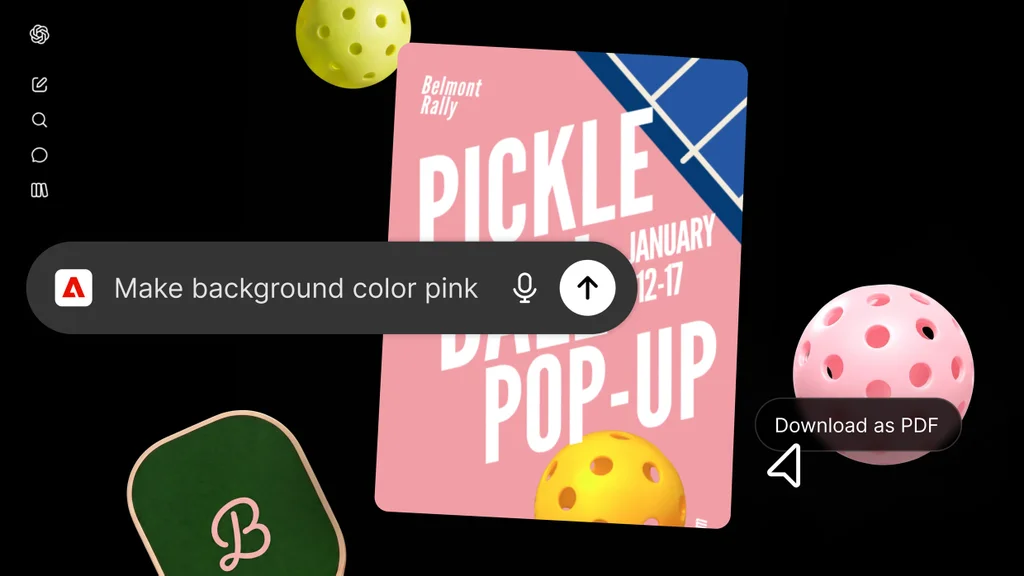
Here’s what he means: ChatGPT decides on its own how to use the Adobe tools at its disposal, sometimes combining them in unscripted ways. The actual tools are Adobe’s, but the brain giving the orders is ChatGPT’s. The AI will reason about the request and filter it through everything it has learned about a user from past conversations.
Think of OpenAI’s LLM as an interpreter that talks to the Adobe backend. This interpreter has its own way to understand your command, based on its own idiosyncrasies and the memory of its past experiences of you, Key says. Key, who grew up in Chile collecting Asterix comics, had just uploaded photos of his first editions to ChatGPT that morning. “So my ChatGPT session has some awareness of my Asterix collection that may come back in some future conversation,” Key says.
How it works
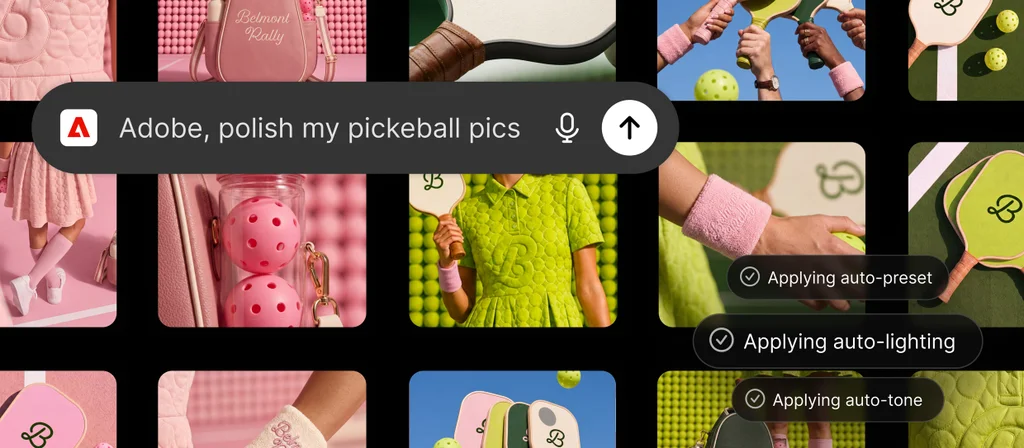
The plug-in is available globally today on ChatGPT’s web and mobile apps as well as ChatGPT Work and Codex. It consolidates Adobe’s previously separate ChatGPT apps into one installation spanning Express, Photoshop, Firefly, Premiere, Acrobat, Lightroom, Illustrator, InDesign, and Stock. “So this is…the largest combination in one central place,” Key says. A single install allows users to restyle an entire photo set in a consistent look, cut a long video into Reels and Shorts, customize design templates, or turn a spreadsheet into event badges, catalogs, and infographics.
To use it, add the plug-in, type “@Adobe” in a chat, and describe the desired output. ChatGPT picks the tools and orchestrates them behind the scenes to give you a series of outputs.
All outputs are editable. “It’s kind of like a progressive disclosure of more fine control,” Key says. “So you can stay at a very high level with semantic and language or just chat, and then you can start to have little controls that appear that you start to modify.” Express templates offer layout control directly in the chat. For pixel-level precision, files export into Adobe’s full apps. Users can batch-edit product shots in ChatGPT, then open the hero image in Photoshop for layers and masks. “So you can continue the work in Photoshop, continue the work in Express, continue the work in Acrobat,” Key says.
Adobe everywhere
Adobe traditionally designed interfaces expecting users to click buttons in a specific order. “This is an entirely new kind of software design because it’s non-deterministic,” Key says. The plug-in spent several weeks in beta so Adobe could observe how people interact with a tool that does not behave the same way twice.
Key says the integration is pulling in people Adobe’s flagship apps never reached. “This is bringing us new customers, new learnings, new use cases,” Key says. It all sounds to me like the plug-in on a direct collision course with Canva, Adobe’s main rival.
The company has been on that course for a while. It launched a standalone ChatGPT Photoshop plug-in last fall. Since then, Adobe has merged its capabilities into one installation and pushed the same toolset onto Claude and Copilot, with Gemini and Slack versions “coming soon” (according to Adobe), and new capabilities shipping weekly. “It reminds me of the early days of mobile phone applications when mobile phones were becoming explosively adopted and consumers were interacting with technologies of all types on their phones,” Key says. “Here, consumers are interacting with all kinds of technologies inside of these LLM environments.”
The entry price is zero. Guest mode provides a broad set of tools with no account required. Signing in with an Adobe ID unlocks generative capabilities, Creative Cloud files, and work that saves across sessions. Paid tiers unlock additional features.
investment News

